












Your Complete Mobile Gateway to LeFisherman: Instant Access, Premium Features & Full Play
LeFisherman brings world-class online gaming to your mobile device—slots, live tables, and exclusive bonuses—all ready to enjoy right now. While an official native app isn't yet available in the App Store or Google Play, there's no need to wait. Our fully responsive web platform transforms into a powerful, app-like experience on any smartphone or tablet. In this guide, we'll show you how to unlock instant access to LeFisherman's complete gaming suite, install it as a home-screen shortcut, and start playing with the same convenience and speed you'd expect from a traditional mobile app.
What Is a Web App Shortcut and Why It Matters for LeFisherman
A web app shortcut is a direct link to le-fisherman.store that you install on your device's home screen—giving it its own icon, just like any downloaded app. When you tap it, LeFisherman opens full-screen, with no browser address bar or tabs visible. It feels and performs identically to a native application: smooth animations, fast loading, offline-ready features, and seamless access to every game, payment method, and bonus. The difference? It saves storage space, updates automatically whenever you visit, and requires zero interaction with app stores. Think of it as having LeFisherman permanently in your pocket, always up to date, always ready.
Four Essential Reasons to Create Your LeFisherman Home-Screen Shortcut Today
- One-Tap Launch Every Time: Tap your LeFisherman icon and play instantly. No browser searching, no typing URLs—your gaming portal is as accessible as your phone's native apps.
- True App-Like Interface: Enjoy full-screen play without toolbar clutter. Navigation is intuitive, loading is swift, and the experience is optimised for touch controls across all screen sizes.
- Zero Storage Overhead & Auto-Updates: No app package to download or manage. LeFisherman's latest features, game additions, and security patches are live the moment you visit—no waiting for app store reviews or manual updates.
- Complete Feature Parity: Every slots game, live dealer table, payment option, bonus offer, and account history is fully accessible. Your funds, promotions, and player history sync seamlessly, just as on desktop.
- Future-Ready & Data-Safe: When LeFisherman's official native app launches, your account and preferences migrate instantly. The web shortcut today is not a compromise—it's a modern, future-proof way to play.
Exclusive Mobile Bonuses Waiting for You at LeFisherman
LeFisherman rewards mobile players with tailored promotions designed for on-the-go gaming:
- Mobile Welcome Bonus: New players can claim a 100% match bonus up to €500 on their first deposit (minimum €10). Perfect for exploring our entire slots and table game library.
- Weekly Mobile Free Spins: Every Monday, active mobile players receive 25 free spins on our featured slot of the week. No deposit required; winnings are withdrawable after standard wagering.
- LeFisherman Live Casino Reload: Make a deposit on Wednesday or Thursday and receive a 50% bonus up to €200 specifically for our live dealer games—blackjack, roulette, baccarat, and more.
- Mobile Leaderboard Prize Pool: Play any game via your phone shortcut and compete in our weekly leaderboard. Top 50 players share a €1000 prize pool—no extra cost, automatic entry.
How to Install LeFisherman as a Home-Screen App
Installation on iPhone & iPad (Safari)
- Open Safari on your iOS device.
- Navigate to le-fisherman.store.
- Tap the Share button (square with an arrow, usually at the bottom-centre).
- Scroll down and select Add to Home Screen.
- Enter a name for your shortcut (e.g. "LeFisherman") and tap Add in the top-right corner.
- LeFisherman now appears on your home screen. Tap it anytime to launch full-screen gaming.
Installation on Android Phones & Tablets (Chrome)
- Open Chrome (or your default Android browser).
- Visit le-fisherman.store.
- Tap the Menu button (three vertical dots, top-right corner).
- Select Add to Home Screen or Install App (wording varies by device).
- Confirm the app name and tap Add or Install.
- Your LeFisherman shortcut is now on your home screen, ready to tap for instant access.
Optimising Your LeFisherman Experience: Phones vs. Tablets
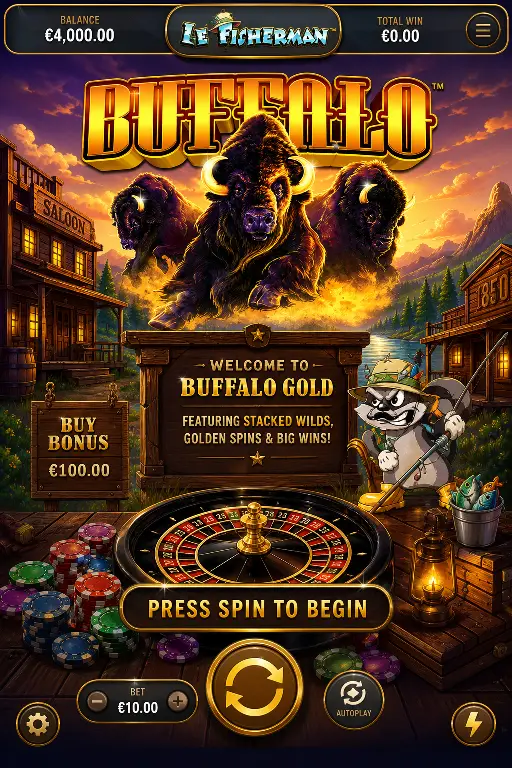
Playing on Your Smartphone: LeFisherman's mobile layout is built for one-handed play and fast-paced gaming. Compact menus, large touch targets, and optimised graphics mean smooth spinning on slots, quick navigation between games, and instant access to your account and bonuses. Perfect for playing while commuting, during breaks, or anytime you want casino action in your pocket.
Playing on Your Tablet: Larger screens transform LeFisherman into an immersive desktop-like experience. Live dealer tables feel cinematic, complex game rules are easier to read, and multi-touch controls open up richer interactions. Tablets are ideal for longer sessions, live casino play where you want to see dealers and cards clearly, and games requiring strategy and focus. Install the shortcut on both devices and switch seamlessly—your account, balance, and bonuses are always synchronised.
Why This Is the Smart, Safe Way to Play LeFisherman Right Now
Installing LeFisherman as a home-screen web app is not a temporary workaround—it's a modern best practice used by leading gaming and finance platforms worldwide. Your connection to le-fisherman.store is encrypted (HTTPS), your account data is secure, and your payments are processed through our vetted partners. The shortcut gives you 100% of LeFisherman's functionality: deposit, play, claim bonuses, check history, and withdraw—all in a fast, app-like interface that requires zero app store gatekeeping or manual updates. As soon as LeFisherman's native app becomes available, your existing account, balance, and preferences are instantly compatible. Today's web app shortcut is your gateway to everything LeFisherman offers; tomorrow, the official app simply adds another way to access the same account. Start playing now—there's no downside, only upside.